


Tennis school tutorial
Creating and configuring a lesson
Create and set up a tennis school lesson or a camp
Ce tutoriel crée pas à pas un stage d'automne pour les juniors : paramètres généraux, dates, inscription, prix, paiement et question pour Jeunesse et Sport. La même démarche s'applique à une école de tennis sur toute une saison. Pour l'ensemble de la saison et la répartition des tâches, voir Gérer son école de tennis : la marche à suivre.
1Open lesson management
In the side menu, open Lessons, then Manage lessons. Check the date at the top of the screen: it must be within the lesson's season. Then click Add a lesson.
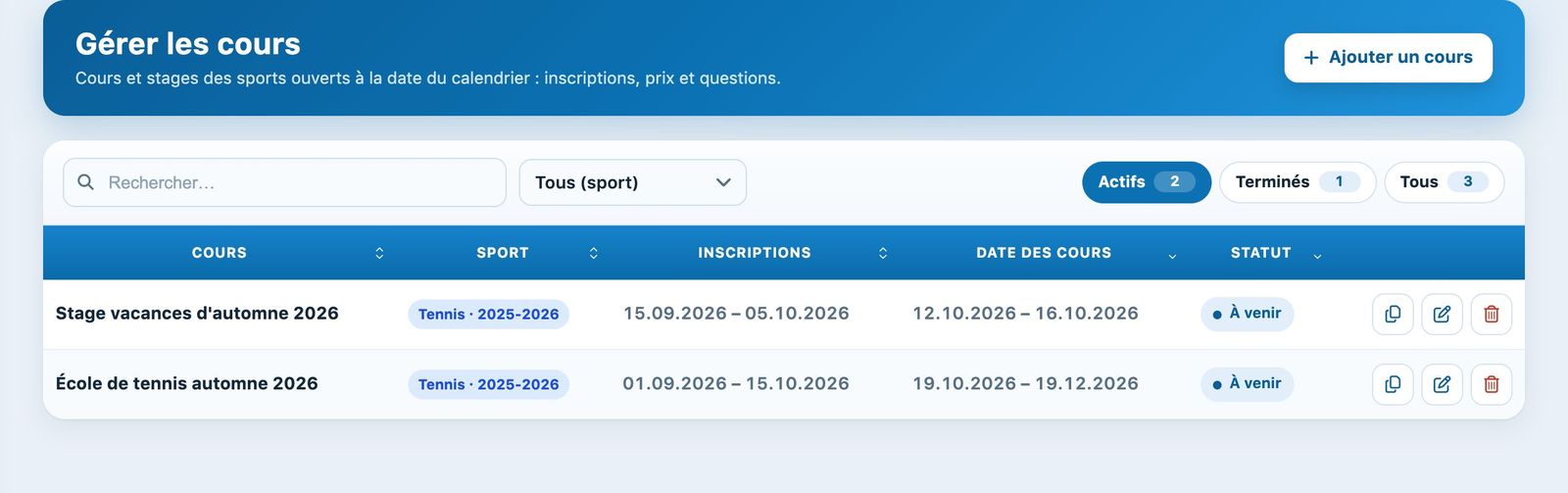
The Manage lessons page and the Add a lesson button.
You can group the whole tennis school (kids, juniors, competition…) into a single lesson with several prices, or create one lesson per type. A holiday camp is usually a separate lesson.
2Name, person in charge and audience
In the section Lessons, choose the Sport if the club has several, then enter:
- Name of lesson: for example "Autumn holiday camp 2026";
- In charge of registrations: type 2 letters of the name then choose the person;
- Gender: Mixed; Age: 6 to 16 years; Number of participants: 24 at most.
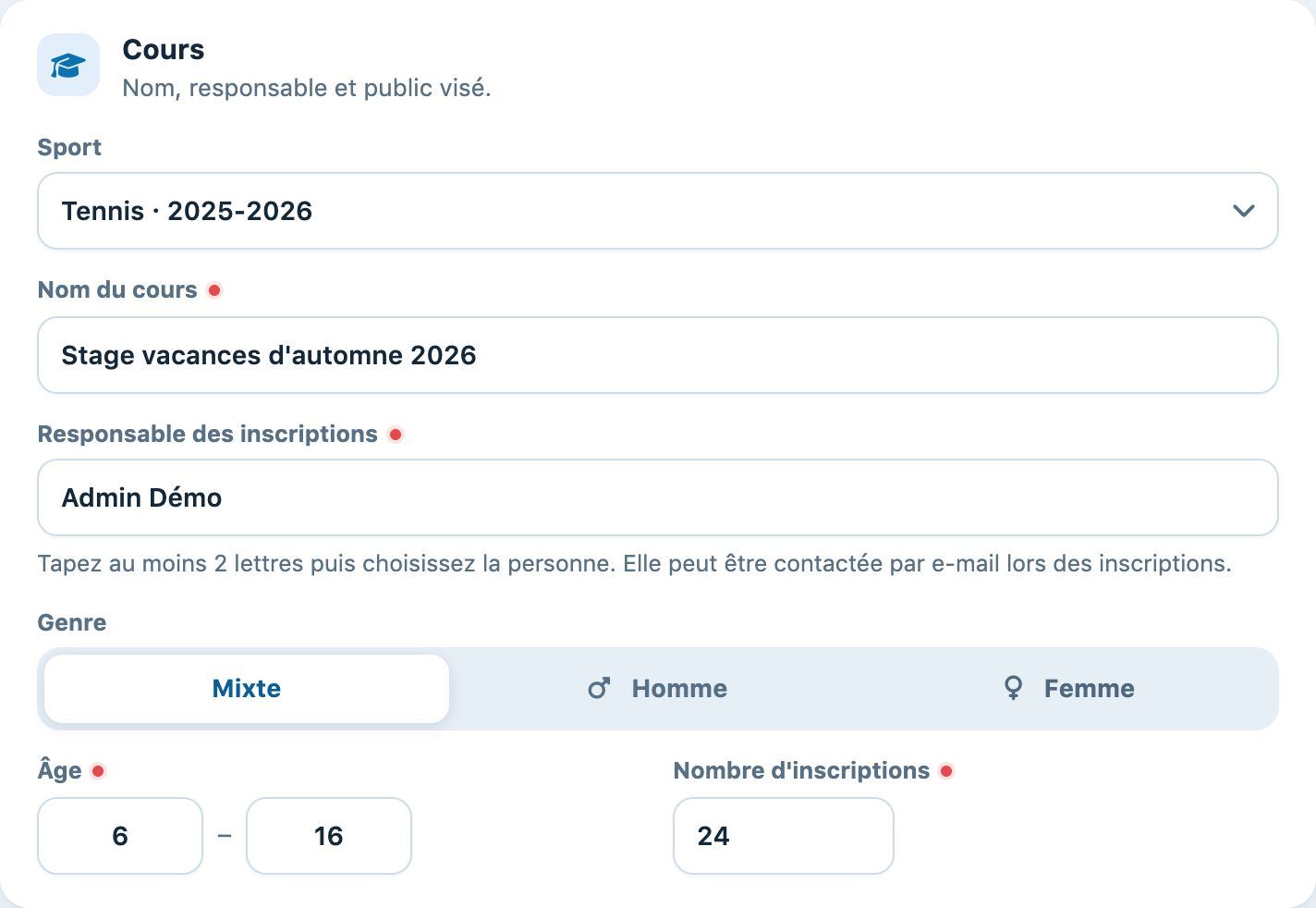
Lesson section of the panel.
3The dates
Fill in the Dates :
- Registration period: here from 15 September to 5 October, the period during which the online form is open;
- Date of lesson: here from 12 to 16 October, the dates used to create the group bookings.
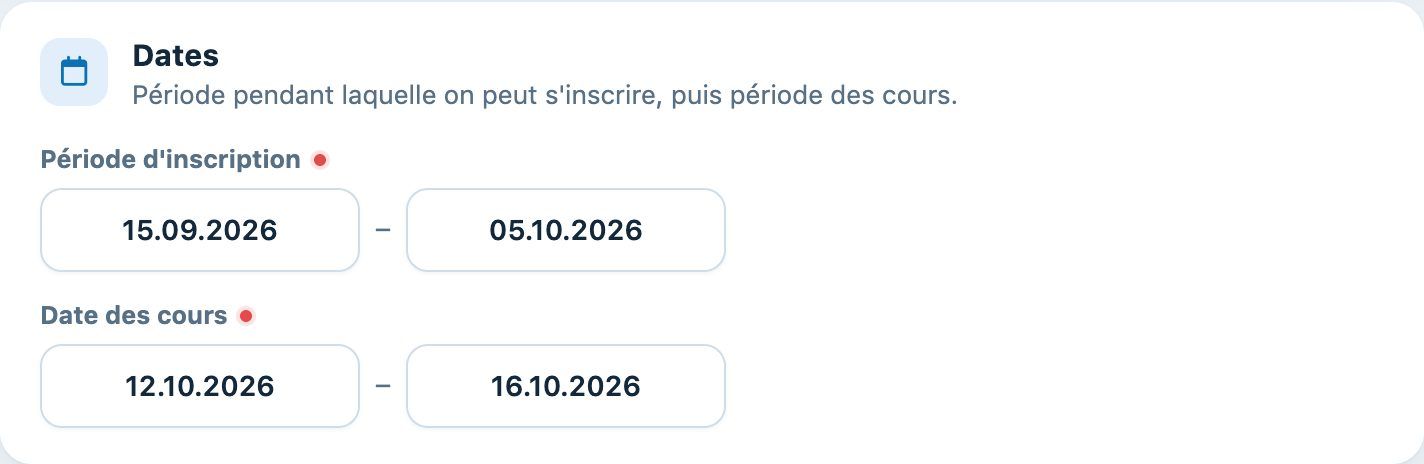
Dates section.
4Who can register and how
- Online sign-up sur Oui : le cours est proposé en ligne pendant les dates d'inscription ; sur Non, seul le club inscrit ;
- Ouvert aux non-membres sur Oui : les non-membres peuvent aussi s'inscrire ; sur Non, seulement les membres (cotisation sur le sport et la saison du cours, propre à chaque élève) ;
- Link groups to reservations on Yes: the lessons occupy the courts and attendance can be recorded (essential for Youth and Sport);
- Sign up directly in a group: Yes for a camp where everyone chooses their group; No for a tennis school: in the Preference section, offer time slots (for example Mon, Tue, Thu from 16:00 to 18:00 in Slots of 1 h) from which the registrants tick their preferences, and set the Minimum number of slots to choose (see Offer preferred time slots) ;
- Additional information: text shown to people registering; General terms and conditions (URL): link to your rules.
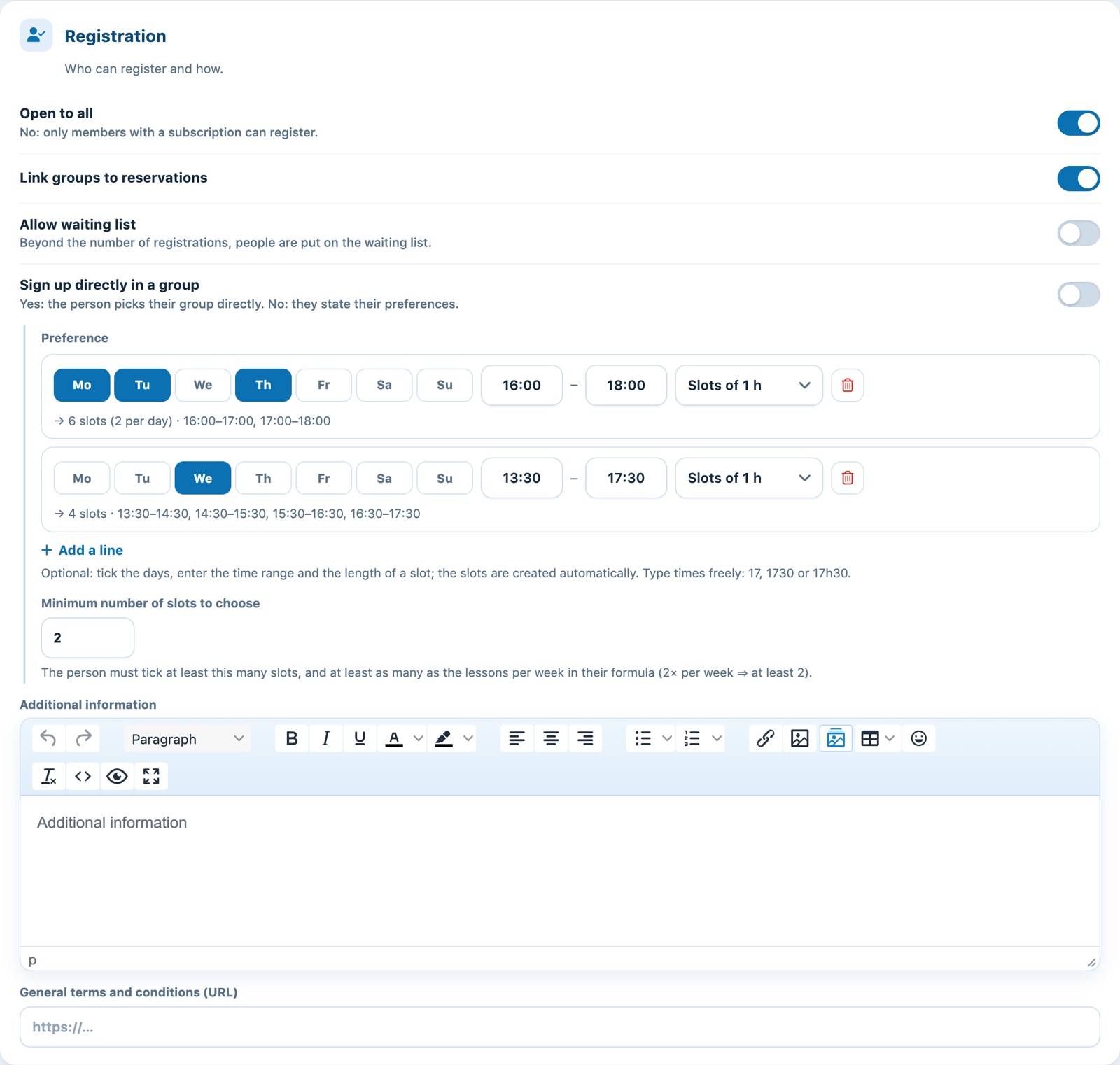
Registration section.
5Prices and payment
Choose the Type of price :
- For the season: a fixed amount for the whole lesson (e.g. CHF 400);
- For each session : un prix par leçon ; une leçon supprimée avant la facturation n'est pas facturée ;
- By presence: invoicing at the end of the lesson according to the attendance recorded.
Then the Type of payment : Invoice, Credit card or Both. With online payment, choose the Invoice group where payments are to be recorded.
Add one card per rate with Add a price : Item, Label, Lessons per week, Pupils per group (0), Price and Subscription concerned. For a tennis school, for example, create four cards: 1x and 2x per week for the Junior membership (420 and 780 CHF) and for Non-member (no membership fee) (480 et 880 CHF). Le résumé en tête de chaque carte (« 2× par semaine · 780.00 · Junior ») permet de vérifier d'un coup d'œil. Un junior sans cotisation de la saison verra les prix non-membres : voir Prix, membres et non-membres.
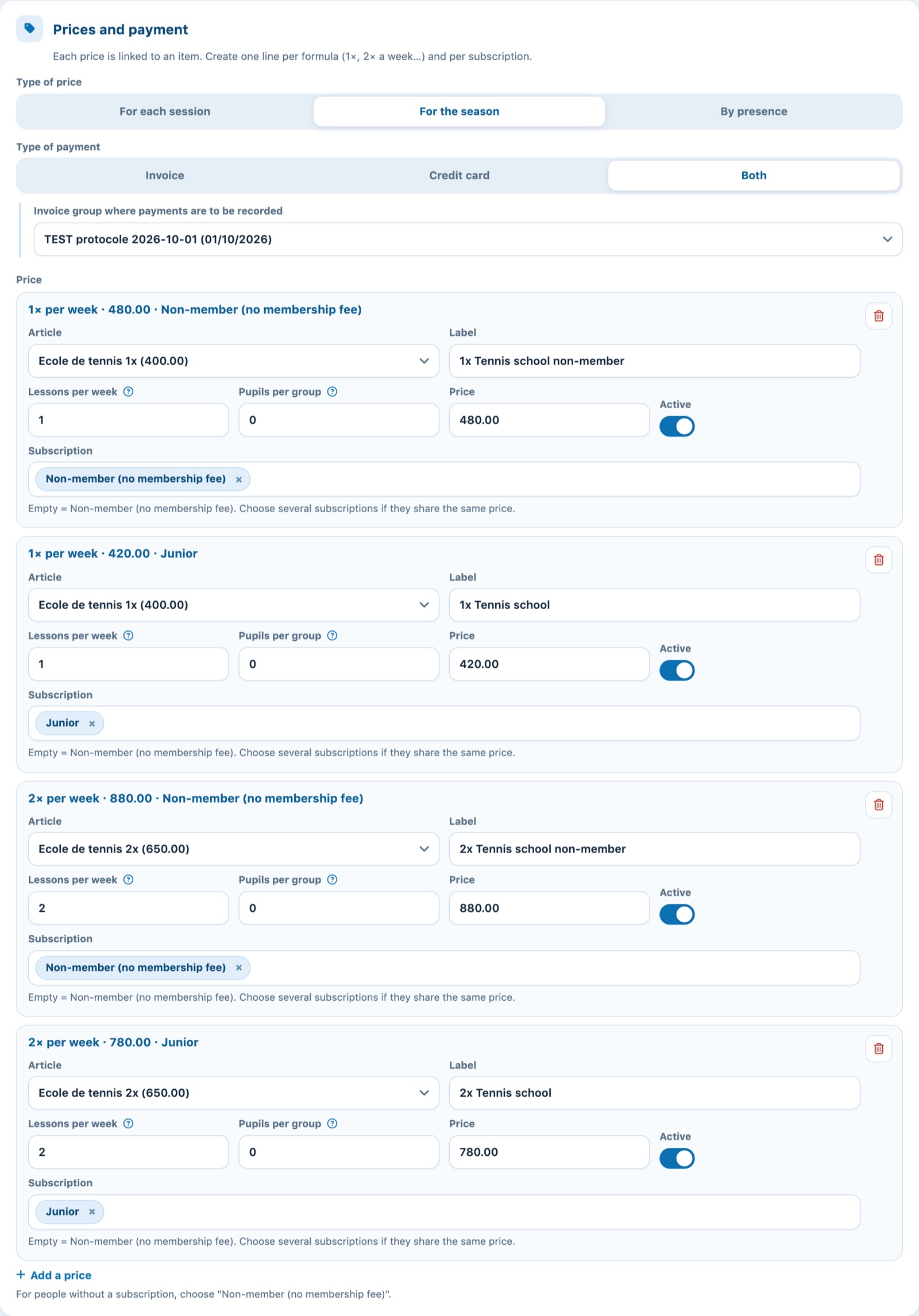
Four price cards: 1× and 2× per week, Junior and non-members.
The same item can be used for all rates: only the description and the price change. See Creating lesson items.
6Questions for Youth and Sport
In Customised question, add a question "N° AVS" of type Free text field : le numéro sera demandé au format 756.xxxx.xxxx.xx, un numéro faux sera refusé et il sera repris dans l'export Jeunesse et Sport (voir N° AVS et export Jeunesse et Sport). Ajoutez d'autres questions si besoin, par exemple le niveau en Single choice with the answers "Beginner,Intermediate,Advanced".
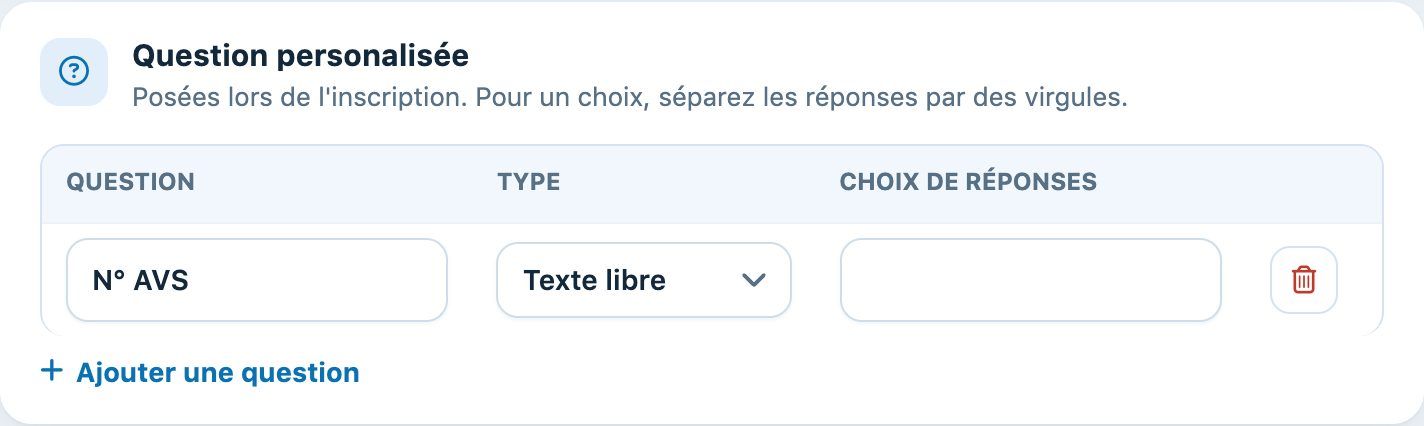
Customised question section.
Click Add a lesson en bas du panneau. Le cours apparaît dans la liste et, avec Online sign-up sur Oui, le formulaire d'inscription en ligne s'ouvre à la date de début des inscriptions.
Plugin.ch tutorial — Tennis school tutorial